Licensed master electrician · Call 414-207-0109
A Powerwall shows “offline” when the Tesla app cannot reach it, which is usually a communication problem rather than a dead battery. Common causes include a home internet outage, a weak Wi-Fi signal at the Gateway, a router change or new password, or a firmware update in progress. The battery itself often keeps working normally while offline. If it also stopped backing up your home, tripped a breaker, or shows a warning light or alarm on the Gateway, that is an electrical issue and needs a licensed electrician.
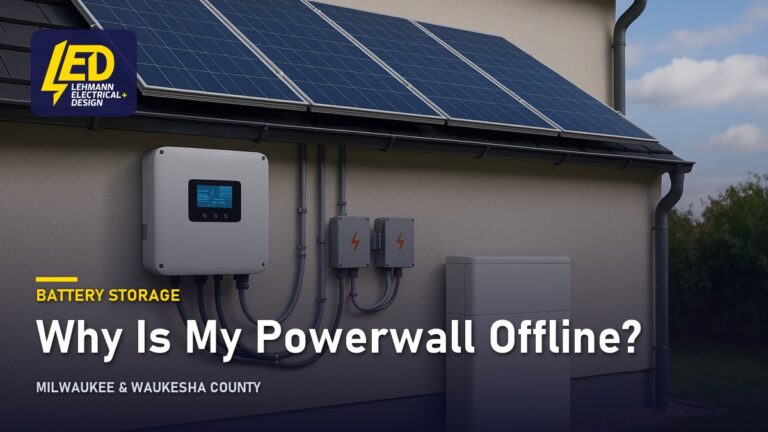
“Offline” in the Tesla app means one thing: the Tesla Gateway, the small enclosure that monitors your home’s power and tells the Powerwall what to do, has lost its connection to Tesla’s servers. It does not mean the battery has failed.
That distinction matters because the two problems look identical on your phone. A Powerwall with a perfectly healthy battery and a dead router reads “offline.” So does a Powerwall with a genuine internal fault. The way you tell them apart is by looking at what the system is physically doing, not at what the app says.
Three quick checks sort most cases:
- Is your home internet working on another device? If not, you have an internet problem, not a battery problem.
- Is the Powerwall still powering your home during a grid outage, or still discharging in the evening? If yes, the hardware is doing its job and only the reporting link is broken.
- Are there any warning indicators on the Gateway or Powerwall, or any burning or hot-plastic smell, buzzing, crackling, scorch marks or discoloration near the equipment or your electrical panel? If yes, stop using the circuit, leave the breaker off, and call an electrician before doing anything else.
How a Powerwall works, in plain terms
Understanding the normal sequence makes the offline message much easier to read.
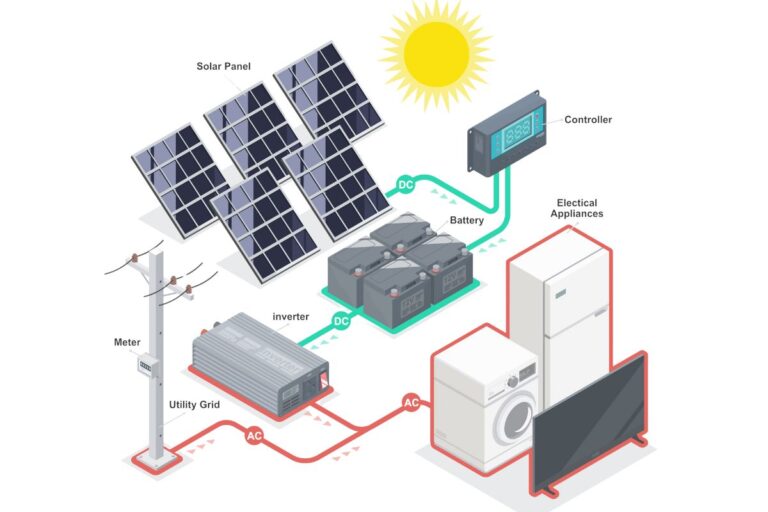
A Powerwall is a low-voltage DC battery pack with its own inverter, connected to your 240-volt home electrical system through the Gateway. The Gateway is both a meter and an automatic switch. It watches the grid connection constantly, and it tells the battery when to store energy and when to release it.
Day to day, the battery charges from solar if you have panels, or from the grid if you do not, and then discharges to cover household loads. When the utility supply drops, the Gateway disconnects your home from the grid and the battery takes over within a fraction of a second. That disconnection is called islanding: your home becomes an electrical island, running on its own, with no power flowing back out onto the utility line where it could endanger line crews. When grid power returns and stays stable, the Gateway reconnects and the battery goes back to charging.
None of that depends on the internet. The transfer is local, handled by hardware inside the Gateway. That is precisely why a Powerwall can be offline in the app and still carry your house through an outage.
What is usually causing it
Offline status falls into a handful of buckets. Communication issues are usually simpler than hardware faults, so they are worth ruling out first.
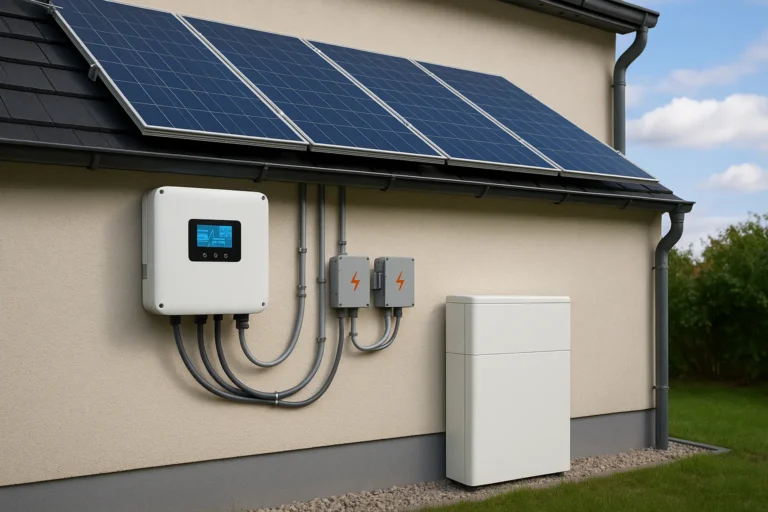
Internet and network changes. The Gateway connects to Tesla over your home Wi-Fi, a wired Ethernet run, or a cellular link if one was provisioned. Replace your router, change your Wi-Fi password, switch internet providers, or move the router to the other end of the house, and the Gateway silently drops off. Gateways are often mounted in a garage, a basement, or on an exterior wall, which is exactly where Wi-Fi coverage is thinnest.
Loss of control power to the Gateway. The Gateway needs its own power to operate and report. A tripped breaker, a utility event, or an internal failure can leave the battery operating while the monitoring brain is dark. Anything internal is for a qualified technician to diagnose, not a homeowner.
Firmware updates. Tesla pushes firmware over the air. During an update the system can report offline for a stretch, then return on its own. There is no homeowner procedure for forcing one.
Tesla server-side outages. Occasionally the app and the cloud are the problem. Every Powerwall in the region reads offline at once. Nothing is wrong at your house.
Breaker or disconnect position. Powerwall installations include backup-side and battery-side breakers plus a Gateway disconnect. If one was switched off during other work in the house and never switched back, the system drops out.
A genuine fault. Offline sometimes accompanies a real problem: a failed internal component, a battery running hot in an enclosure with poor airflow, moisture intrusion, corroded conductors, or a loose connection in the backup load path. These usually come with other symptoms, not just an app message.
| What you see | Likely cause | Who should handle it |
|---|---|---|
| Offline, but battery still charges and discharges | Wi-Fi, router, or Tesla cloud | Homeowner, then installer if it persists |
| Offline for days, no app data at all | Gateway lost control power, or network hardware failed | Licensed electrician |
| Offline plus no backup during a grid outage | Breaker, disconnect, or system fault | Licensed electrician |
| Offline plus warning light or alarm on the Gateway | System fault | Licensed electrician, same day |
| Offline plus burning smell, buzzing, or scorch marks | Electrical fault | Stop using it, leave breakers off, call immediately |
What is safe to check yourself, and what is not
Safe for a homeowner, with every cover closed and nothing opened:
- Confirm your internet works on a phone or laptop in the same part of the house.
- Power-cycle your router and wait several minutes. Many Gateways rejoin on their own.
- Check whether your Wi-Fi network name or password changed. If so, the Gateway needs to be pointed at the new network, and the Tesla app has a connection flow for that.
- Look at the Gateway and Powerwall from a normal standing distance. Note any light colors or alarm text.
- Check whether a breaker labeled for the Powerwall or Gateway is in the tripped position. If it is, reset it once: push firmly to OFF, then to ON. If it trips again, leave it off and have it inspected. Never fit a larger breaker to stop tripping. The breaker protects the wire, and a bigger one just removes the protection.
- Note the date it went offline and what else happened that week: a storm, a utility outage, an appliance install, a router swap.
Not safe, and not homeowner work in Wisconsin:
- Removing the dead front from an electrical panel, or opening the Tesla Gateway or Powerwall enclosure.
- Working on the service conductors or anything on the line side of the meter. Turning your main breaker off does not de-energize those: the service conductors and the main breaker’s line-side lugs stay energized. Only the utility can de-energize them, usually by pulling the meter, or a separate service disconnect ahead of the panel if one is fitted.
- Loosening or tightening any lug, terminal, or busbar connection.
- Anything involving the inside of the enclosures, including overcurrent devices mounted there.
- Any wiring change to the backup loads, the Gateway, or the battery circuits. That is permitted work.
> A Powerwall is a battery pack with its own inverter, tied into a 240-volt home electrical system through an automatic transfer device. The battery’s own DC side is not what makes this dangerous. The hazard is everything the Gateway is bolted to. With the main breaker off, the service conductors and the main breaker’s line-side lugs stay energized, and only the utility or a separate service disconnect can change that. On top of that, the battery is an internal source of stored energy that stays live until it is isolated by qualified personnel following the manufacturer’s shutdown sequence. That is why safe homeowner troubleshooting ends at the closed cover.
Permits for this work are issued by your local municipality, whether that is Milwaukee, Wauwatosa, Waukesha, or a surrounding community, and they enforce Wisconsin SPS 316, which adopts the 2023 NEC (in effect since September 1, 2026). Work permitted before that date was done under the 2017 NEC, and an existing installation does not have to be brought up to the new edition unless it is altered.
Still showing offline after a reboot?
A licensed electrician checks the battery’s own breaker, the inverter and the network link the system reports through.
Licensed master electrician. 12-month workmanship warranty.
When it points to a bigger problem
Offline becomes a real concern when it is paired with a second symptom.
If the Powerwall is offline and did not carry your home through the last grid outage, the transfer function is not working. That is the whole point of the system, and it needs attention regardless of what the app says.
If the Powerwall is offline and a breaker keeps tripping, there is a fault to find. Most residential breakers are thermal-magnetic: a heat-sensitive strip handles sustained overloads and a magnetic coil handles short circuits. A breaker that trips repeatedly, especially with no unusual load on it, points to a wiring fault rather than a tired breaker.
If a GFCI on a nearby circuit keeps tripping, that is also real. A GFCI, or ground-fault circuit interrupter, is a device that cuts power when current leaks out of the intended path. A personnel-protection GFCI trips at 4 to 6 milliamps of leakage by any path, including through a person or through damp material, with no metal contact required. Reset it once. If it will not hold, there is a leakage fault or a failed device, and it should be inspected rather than reset again.
And if there is any burning or hot-plastic smell, discoloration, scorch marks, buzzing, or crackling around the Gateway, the battery, or your panel, stop using the circuit, leave the breaker off, and call. Do not touch the equipment to judge how hot it is. Use smell, sight, and sound.
Older systems add a wear dimension. Lithium battery packs lose usable capacity gradually as they cycle, rather than failing all at once, and a pack that has been quietly degrading can behave strangely before it reports a hard fault. Repeated unexplained offline periods on a system that has been in service for years deserve a look at the whole installation, not just the network link.
What an electrician does about it
A licensed electrician approaches an offline Powerwall as a diagnostic job, not a reset. At Lehmann Electrical & Design the work is led by master electrician Jacob W. Lehmann, and that matters here because the useful part of the visit happens on the line side of a cover a homeowner should never open.

The visit starts with what you cannot see: verifying the Gateway has control power, confirming the state of every breaker and disconnect in the backup path, reading stored fault codes off the system, and checking voltage and continuity on the circuits feeding and leaving the battery. Torque on lugs and terminals is checked, because a connection that loosened over a few years of thermal cycling is a well-known cause of intermittent behavior and of the heat damage that shows up as discoloration.
From there the work splits. A communication problem gets solved at the network: a wired Ethernet run to the Gateway instead of marginal Wi-Fi, a relocated access point, or a reconfiguration to the current home network. A control-power problem gets traced and corrected. A genuine hardware fault gets documented for warranty handling with the manufacturer. A load-side problem, such as backup circuits that were added to over the years until the battery can no longer carry them, gets addressed with a load calculation, which is the arithmetic that compares the connected load on a circuit or panel against what the equipment and conductors are rated to carry.
If you are weighing whether a battery still earns its place in your home, or thinking about a second unit, the runtime math is worth walking through, and our breakdown of how long a home battery lasts on real loads shows how quickly the answer changes with what you back up. Runtime is never a fixed number of hours. A battery carrying a refrigerator, a furnace blower, lights, and internet will run far longer than the same battery asked to also handle central air conditioning or electric resistance heat. Sizing is a conversation about which loads you actually want supported.
Work we perform carries a 12-month workmanship warranty. Lehmann holds an A+ rating with the BBB and 4.9 stars on Google.
If your Powerwall has been offline more than a day, send us a photo of the Gateway indicator lights through our battery service contact form and we can usually tell you whether you are looking at a network issue or something that needs a technician on site. You can also call 414-207-0109. Serving Milwaukee and Waukesha County.
Why homeowners call Lehmann Electrical & Design
- Led by licensed master electrician Jacob Lehmann
- A+ rating with the BBB and 4.9 stars on Google
- 12-month workmanship warranty on the work we do
- Permits pulled and inspections scheduled as part of the job
- Milwaukee, Wauwatosa and Waukesha County, from 12012 W Fairview Ave, Wauwatosa
Ready to have the system checked?
Send the battery brand, what the app shows and when it last reported in.
Licensed master electrician. 12-month workmanship warranty.
Frequently asked questions
▾Why is my Tesla Powerwall offline but still working?
Because “offline” describes the data link, not the battery. The Gateway has lost contact with Tesla’s servers while the hardware continues to charge, discharge, and stand ready for an outage. Typical culprits are a router change, a weak Wi-Fi signal where the Gateway is mounted, a firmware update in progress, or a Tesla server outage. If the battery is still cycling normally, start with your network.
▾How long do Powerwall batteries last, and how much capacity do they keep?
Lithium packs age by cycling and by heat, losing usable capacity gradually rather than failing suddenly. Plan on a slow decline in how much energy the unit stores, not a cliff. Deep daily cycling and hot, unventilated locations accelerate it; shaded or conditioned spaces slow it down. For the warranty term and the capacity retention Tesla itself commits to, read the current warranty document for your specific product, since terms differ by model and installation date.
▾How long can a Powerwall power a house?
That depends entirely on the load, so any single hour figure is misleading. A battery running a refrigerator, furnace blower, well pump, lights, and internet stretches far further than the same battery asked to carry central air conditioning or electric heat. The honest answer comes from a load calculation on the specific circuits you want backed up, which also tells you whether one unit is enough or you need two.
▾How much is a home battery backup system?
We do not publish prices, because the number is driven by what is in front of us. The main cost drivers are the number of battery units, the condition and capacity of your existing panel, whether a backup-loads subpanel is needed to separate the circuits you want supported, the run length between the Gateway and the panel, and the municipal permit and inspection. A site visit is the only way to price it honestly.
▾Can I install a Powerwall myself?
No. A Powerwall ties into your service through a Gateway that switches your home between grid and battery, which means work inside the panel, possibly on the service entrance where the utility supply enters the building, and a permit from your municipality under Wisconsin SPS 316. It is licensed work. Check Tesla’s warranty terms before considering anything else, and plan on a licensed solar battery installation so the job stays inspectable and insurable.
▾Can you install a Powerwall without solar?
Yes. A Powerwall charges from the grid as readily as from panels, so a battery-only installation works fine for backup power and for shifting usage away from expensive hours. The tradeoff is that during a multi-day outage you have no way to recharge. Plenty of homeowners start with the battery for outage protection and add panels later, which the Gateway is already built to accommodate.
▾How do I update Powerwall 2 firmware?
You do not. Tesla pushes firmware over the air to the Gateway, and there is no homeowner-initiated update procedure. Keeping the Gateway reliably connected to the internet is what allows updates to arrive, which is one practical reason to fix a persistent offline condition rather than live with it. A system that has been offline for months may be several firmware versions behind.
▾Is a Powerwall worth it?
It depends on what you are solving. If outages where you live are frequent or long, or you have a sump pump, a medical device, or a home office that cannot go dark, the value is straightforward. If you are chasing bill savings alone, the math turns on your utility rate structure and your usage pattern. We would rather walk through your actual situation than sell you a number.
Next step
Get the system checked
Send the battery brand and what the app is showing.
Licensed master electrician12-month warranty4.9 on Google
Milwaukee, Wauwatosa and Waukesha County. Prefer to talk? Call 414-207-0109